Compress images
Reduce image file size for pages and attachments. JPG and WebP use your selected quality; PNG optimization preserves every pixel.
Processed in your browser. Your files stay on your device.
Drop your files here
or
JPG · PNG · WebPFile limit: 10 MiB
How to use this tool
- Select JPG, PNG or static WebP images.
- Choose quality for JPG or WebP; PNG is optimized without pixel changes.
- Review the result and download it before clearing the workspace.
When this tool helps
Use compression when a page, email or upload form needs a smaller file. Start with a clear source and keep the original, so you can compare the text, fine edges and colors after compression.
Choose the right settings
A practical example
Compare a JPG at two quality settings
- Keep the original JPG and create a compressed copy at quality 65%.
- Compare the book edges and small details in both versions.
- Check the measured file sizes below before deciding which copy to use.
Both illustrations below are 480 × 300 pixels. The sizes are measured from actual tool outputs for this sample; they are not a promised saving for other files.
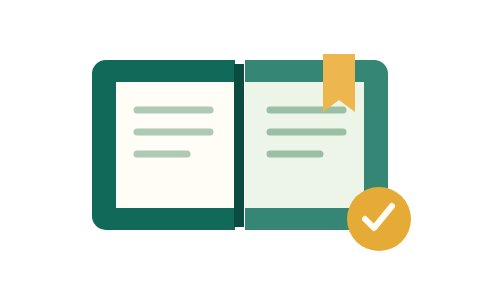
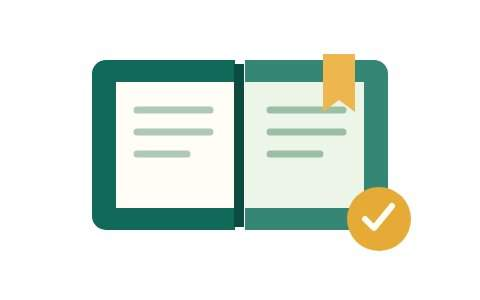
These examples use our own test illustration. The checkerboard shows transparent areas; it is not part of the image.
Measured on this example at JPG quality 65%. Your result depends on the original image.
Common mistakes
Tool limits
Up to 10 MiB and 20 million pixels per image; 20 files and 50 MiB per batch. Static JPG, PNG and WebP only.
Frequently asked questions
Why did the file stay the same size?
If lossless PNG optimization cannot make the file smaller, you receive the original. JPG and WebP quality can change appearance.
Are my files uploaded?
This tool processes files in your browser. Files are not uploaded. Aggregate tool-event counts contain no file contents or names.